
Custom SaaS Development
Bite PGH
A custom plugin that runs a citywide business directory
- Industry
- Nonprofit and community
- Location
- Pittsburgh, PA
- Visit
- bitepgh.com
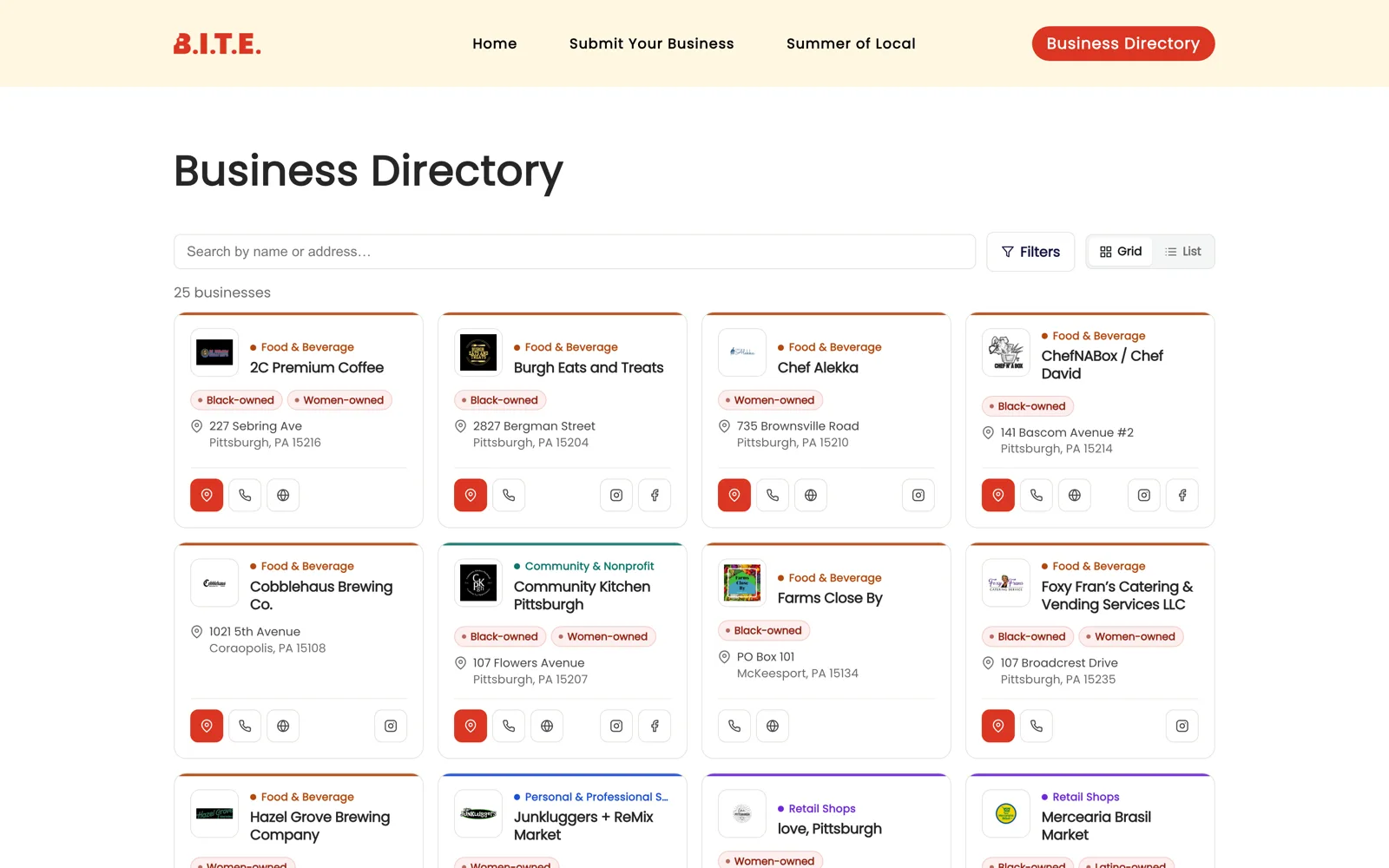
Who they are
Bite PGH connects Pittsburgh residents with local, independent and underrepresented-owned businesses across the city. Its main tool is the directory, a searchable list people use to find places to spend money close to home.
What they needed
Launching a directory is the easy part. Keeping it accurate takes steady work, because businesses apply, their details change and listings go out of date, and each of those tasks falls to whoever runs the organization. Off-the-shelf directory plugins either did too little or hid the work behind settings that nobody had time to learn.
Two requirements made the standard options a poor fit. Bite PGH classifies businesses along four separate axes at once, including how a business is owned, and visitors filter by combinations of them. The organization also runs a rewards program on top of the directory, in which visitors check in at a business and earn credit toward a leaderboard.
What we built
We wrote a custom WordPress plugin to run the directory. Businesses apply through a form on the public site, and each application goes into a queue. A count badge in the sidebar tells the person running the directory when something is waiting, and a listing can be approved with one click from the list.
The four classification systems are kept separate, and each one can be edited, so the organization can rename or retire a category as the directory grows without asking us to make the change. Listings can be imported in bulk from a spreadsheet. Before any row is written, a preview shows what the import would add, change or skip. The whole directory can also be exported to CSV.
The rewards check-ins and the leaderboard run inside the same plugin, so the program and the directory share a single list of businesses and stay in sync.
We also wrote a plain-language manual for the plugin, addressed to the people who use it day to day.
What made the difference
New applications are easy to spot
A count badge in the sidebar shows how many businesses are waiting for approval. A listing can be approved in one click, or reviewed first with one more.
Imports are previewed first
A spreadsheet import shows what it would add, change or skip before it writes anything, so problems in a file are caught before they reach the directory.
The categories are theirs to edit
All four classification lists can be edited in the admin, so the structure of the directory can change over time without a developer.
A look inside
Screens from the software itself, running with sample data.
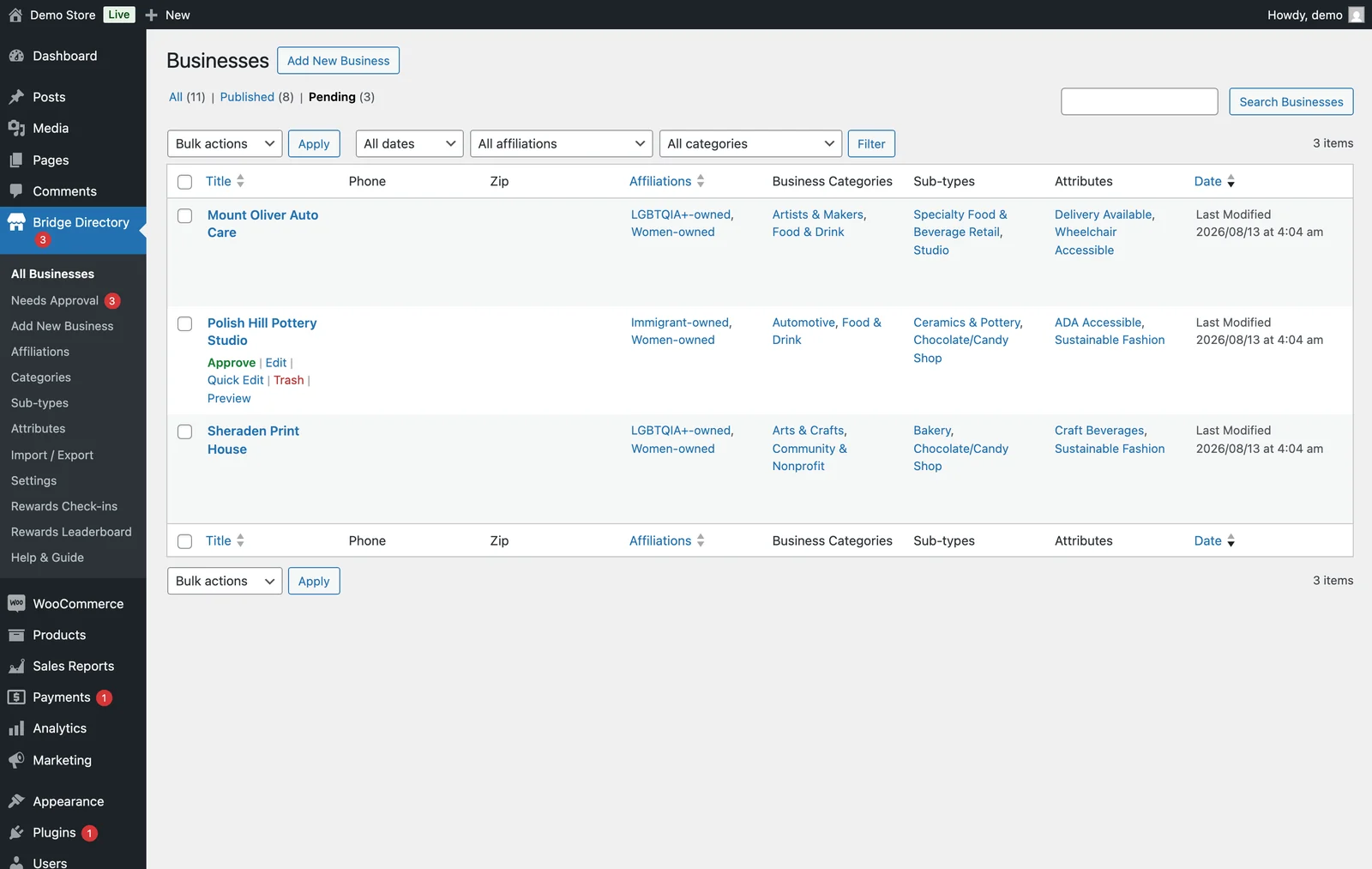
The approval queue
Businesses that applied through the public form wait here for approval. Each one can be approved, edited or declined from its own row.
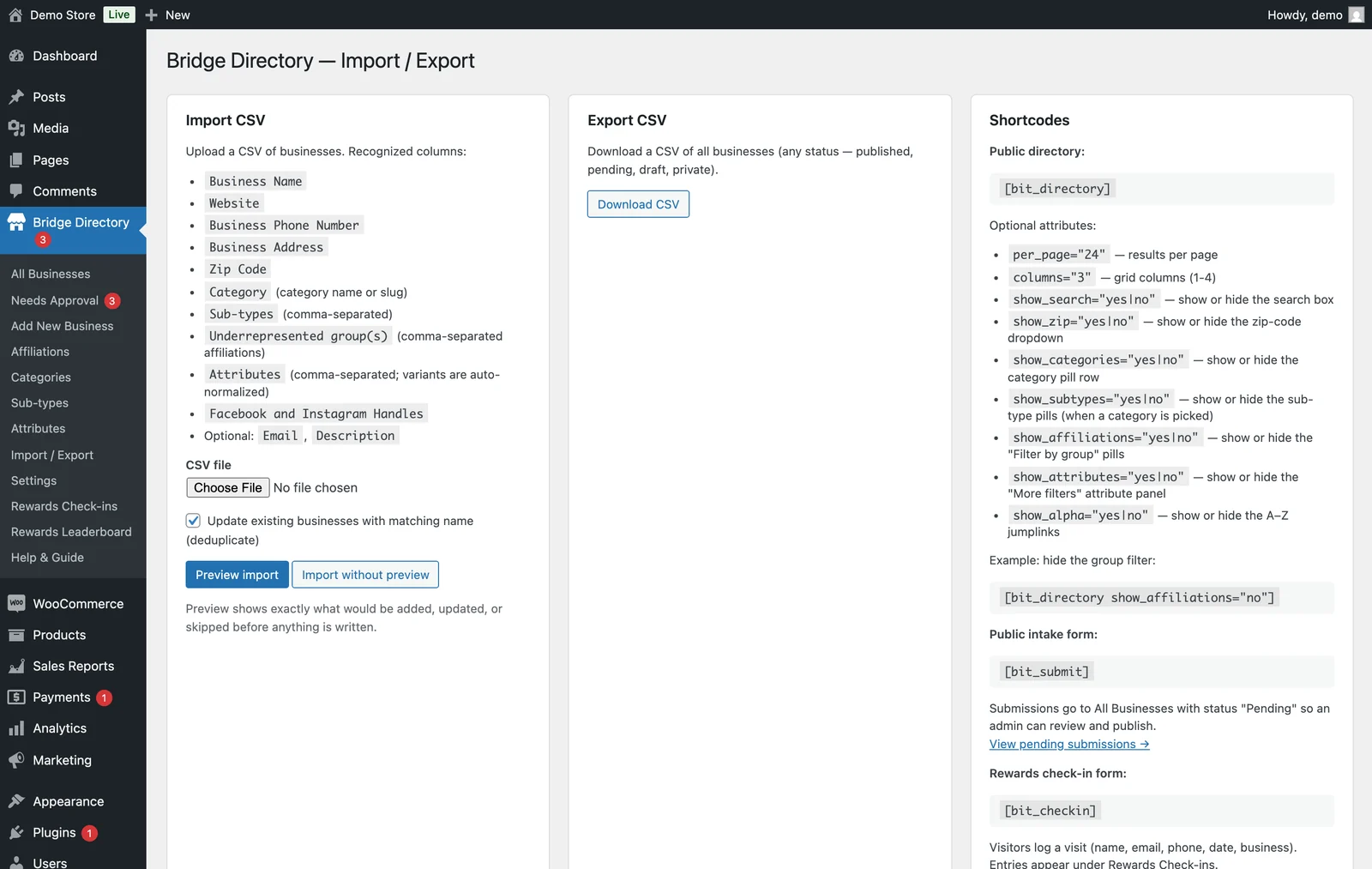
Bulk import, export and shortcodes
This screen holds the CSV import, which previews changes before writing them, and an export of the whole directory. It also lists the shortcodes that place the public directory, the application form and the rewards check-in on any page.
Need something built?
We build sites for community groups that need something a small team can run on its own. Nonprofit website design
See Your New Homepage First